
No news?...
good news!
With 'aQuickCheck' you keep each other updated that you're doing well without calling, texting or emailing. Simple and at your own chosen frequency.
Download the app and try 'aQuickCheck' free for 1 month, no strings attached and without further obligations.



View 'aQuickCheck'
Curious about how 'aQuickCheck' works?
Before we tell you about the benefits, you can watch our video to get an impression of our app.
Try 'aQuickCheck' free and with no obligation for 1 month without any commitment.
The 'aQuickCheck' app is free to download and is compatible with iPhone and Android devices.
Why 'aQuickCheck'?
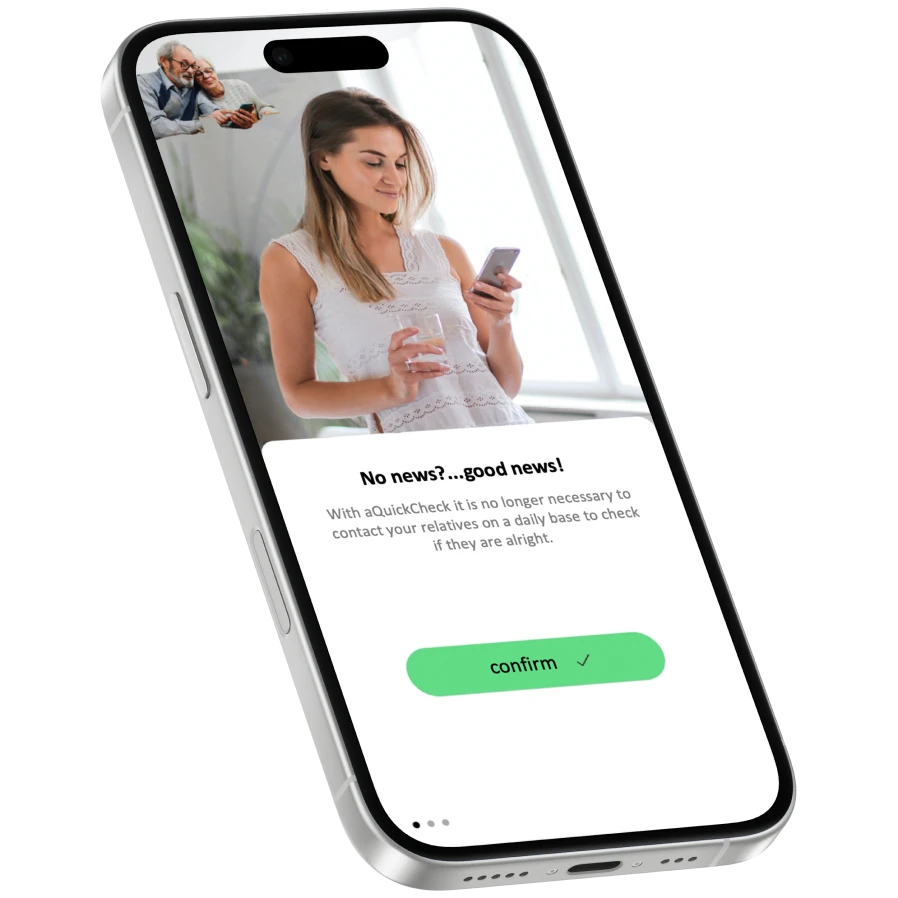
Because we all worry sometimes about a close family member, friend or acquaintance. The app 'aQuickCheck' can also be used for parents and children, nursing homes or anyone else you want to keep an eye on.
Our app is not meant to stop maintaining contact with your loved ones altogether. 'aQuickCheck' is specifically designed to reduce the need for constant contact, without neglecting each other!
How does the aQuickCheck app work?
As a team, we looked at how we could make the app as functional
and also as user-friendly as possible.
Sign up with your phone number, choose a password and confirm your registration.
Set up check-ins at your preferred times, choose your contacts in case you miss a check and you're done!
Your contacts receive an invitation and will only be notified if you happen to miss a check. This way they stay, without daily contact, informed about your wellbeing.
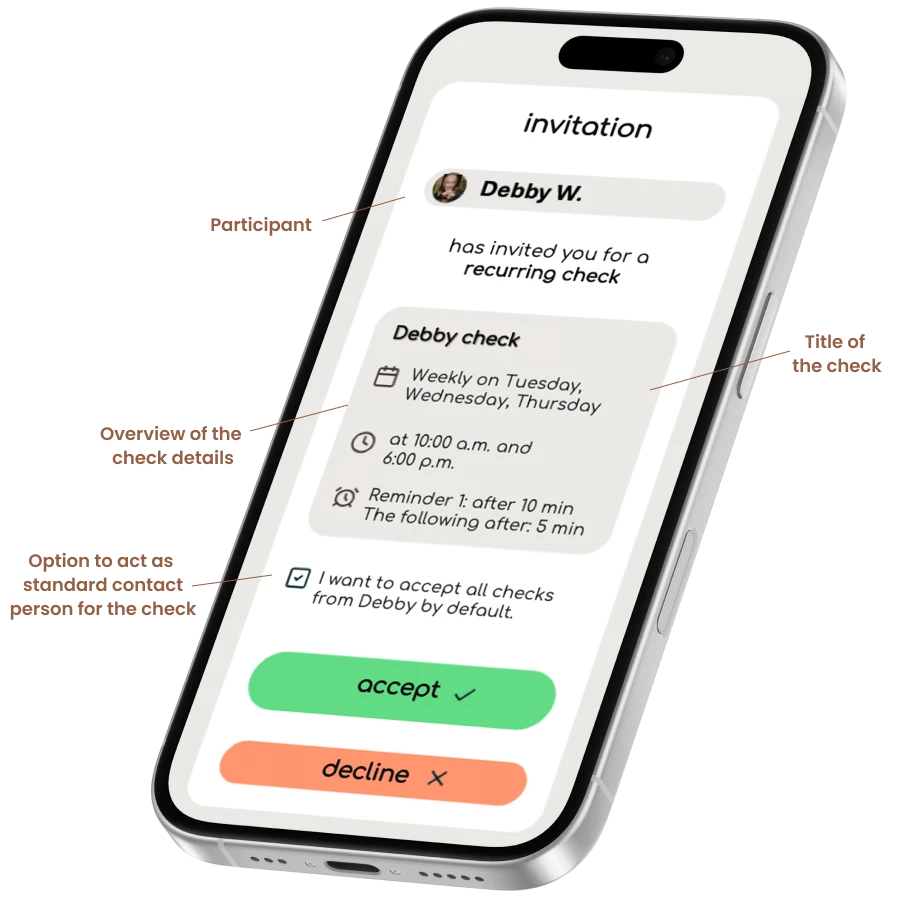
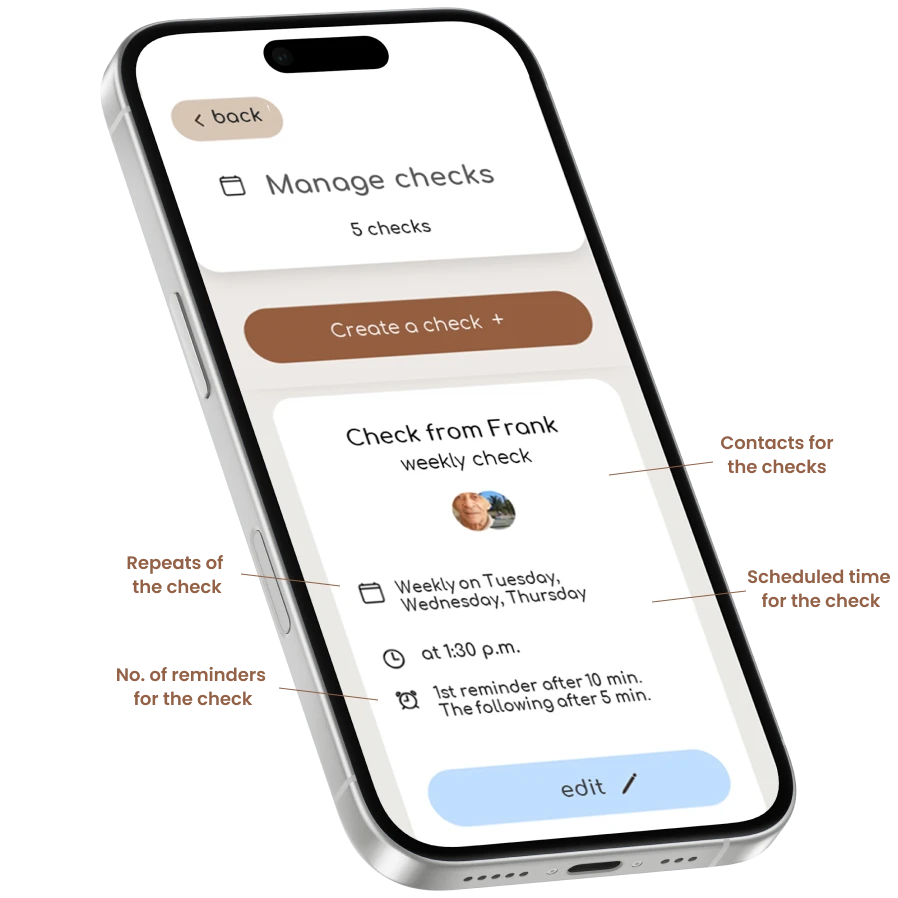
Choose your preferred day and time for a check
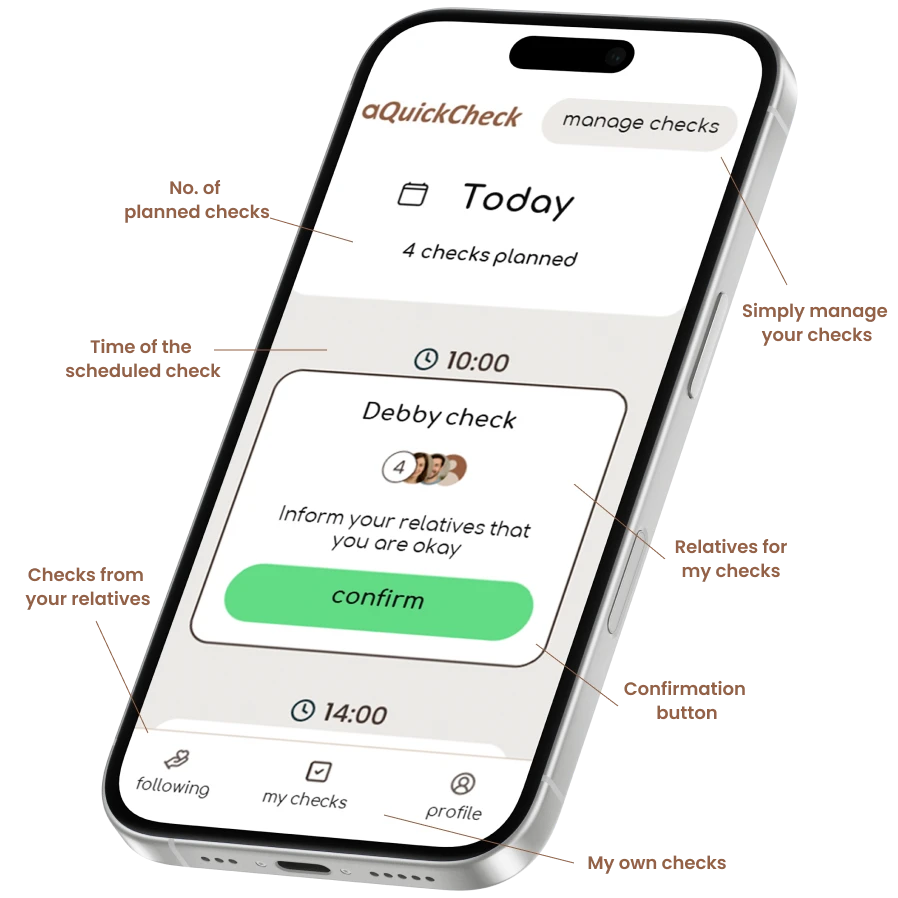
With 'aQuickCheck' you can see clearly which checks you've set up for yourself. Respond within your own set time so your contacts, without a message, know that you've confirmed your check.
The 'aQuickCheck' app is free to download and is compatible with iPhone and Android devices.
Confirm the check
Simply confirm your set checks by clicking the confirmation button. This way no message is sent to your contacts and they automatically know that everything is fine! Missed your check? Only then will they receive a message directly.
The 'aQuickCheck' app is free to download and is compatible with iPhone and Android devices.
No news? ... good news!

Keep each other updated that everything is going well
Reviews
My father is elderly and lives alone. I set up a check for him in the morning and one in the evening on his phone and it works great! He missed a check once and my sister and I got a notification right away. Everything turned out to be fine in the end, but I'm still glad you get an alert if something could be wrong.
MartinIt's certainly reassuring when you don't hear anything but still know everything is fine. Very happy with the app.
SheilaVery handy app! Strange that it wasn't available earlier. I immediately told one of my best friends about it. He downloaded the app and I'm now his contact if he ever misses a check.
AdrijanaTry it now free for 1 month!
Curious whether the app is right for you or one of your loved ones?
You can try the app free and without obligation for 1 month.
Not satisfied? No problem! Then your account automatically switches to a free account for contacts. For contacts, the app aQuickCheck is always free.
You can always decide to switch your account back to a participant account to keep your contacts updated on whether everything is okay with you.
No news? ... good news!
Frequently asked questions
'aQuickCheck' is an app where you simply keep your contacts informed that everything is okay by performing a check.
If you confirm the check... then nothing is wrong and your contacts won't receive a message! Only if you don't respond to the check will your contacts automatically get a message.
That's why our slogan is: 'No news... good news'!
This way your loved ones stay informed about your wellbeing without needing daily contact.
The aQuickCheck app can be used as a quick check for anyone who wants to stay informed about the well-being of family, friends, or others who are dear to them. Or the other way around, by letting them know without a message that you're doing well.
The aQuickCheck app is very easy to use:
- Create a free account with your phone number
- Set up one or more checks at your preferred day and time
- Import and select contacts from your phone
- Add at least 1 contact to each check
- ...and you're done!
You will then receive a check at your set day and time that you can confirm with a single button press.
If you miss a check, you'll receive one or several customizable reminders, and only if you miss those too will your contacts be notified. They can then check in with you to see if everything is okay.
You can choose how many checks you want to create yourself.
We do recommend leaving enough time between checks. Otherwise you will keep getting notifications, and you are more likely to miss a check at some point, so your contacts are unnecessarily told that something may be wrong.
Spread your checks out as evenly as possible, preferably 1 or at most 3 times per day.
You can try the aQuickCheck app with all features free for 1 month.
If you're satisfied with using the app, after this free trial period we ask for a contribution of just € 2,99 per month.
If you're not satisfied with the app, no problem! After this free trial period, your account will automatically be converted to a free account for contacts.
You can import your contacts from your phone and then choose who you want to add as a contact or contacts for a check.
The number of contacts is unlimited, although we do recommend not adding too many contacts to a single check.
Yes, you can!
You can add different contacts to each check. For example, you can add 2, 3, or more people to a morning check and add 2 or several other people to your evening check.
If you've missed a check and also the reminders, your contacts will automatically receive a message. A notification will also appear on the confirmation screen showing that your contacts have been informed.
This way both you as a participant and your contacts can see that everyone has been informed.
As soon as you as a contact reach out to a participant about a missed check, the other contacts will be notified. This prevents everyone from suddenly showing up at the participant's door or calling at the same time.
As a contact, you can also see on the participant's missed check whether another contact has already reached out.
To restore your account, please use the contact form at the bottom of the website so we can recover your account for you.
Unfortunately, with a new phone number it's not yet possible to link your previous account to the new number. We're looking into this, but for now each number is unique with its own unique account.
You can set up checks yourself on your preferred day of the week and repeat them on other days as well. For example, you can set up a check every day at 09:00 in the morning, or set up a check for only Monday, Wednesday, Friday, and Sunday.
Yes, you can! For example, if you have set up a check for 10:00 and you don't have time at that moment, you can confirm the check up to 1 hour in advance. If you want to confirm the check much earlier, we recommend changing the check to a time that works better for you to confirm it.
Of course, your contacts will be informed in that case that you have chosen a new time for the check.
Don't want to use aQuickCheck anymore? That's no problem at all. Use the link below and fill in your details, and we will delete your account and all your data within 5 business days. Your contacts will be automatically notified that you are no longer using the app.